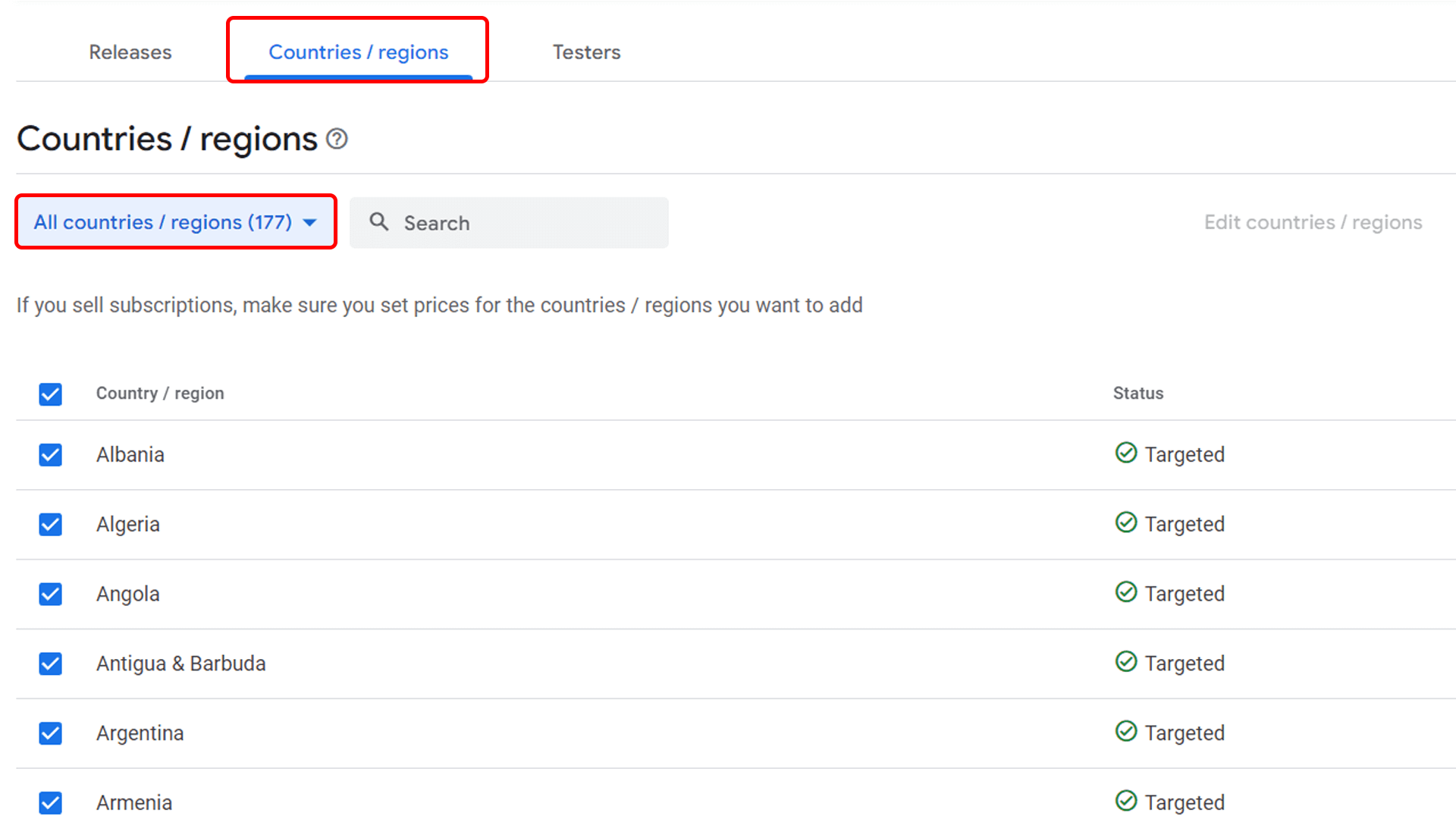
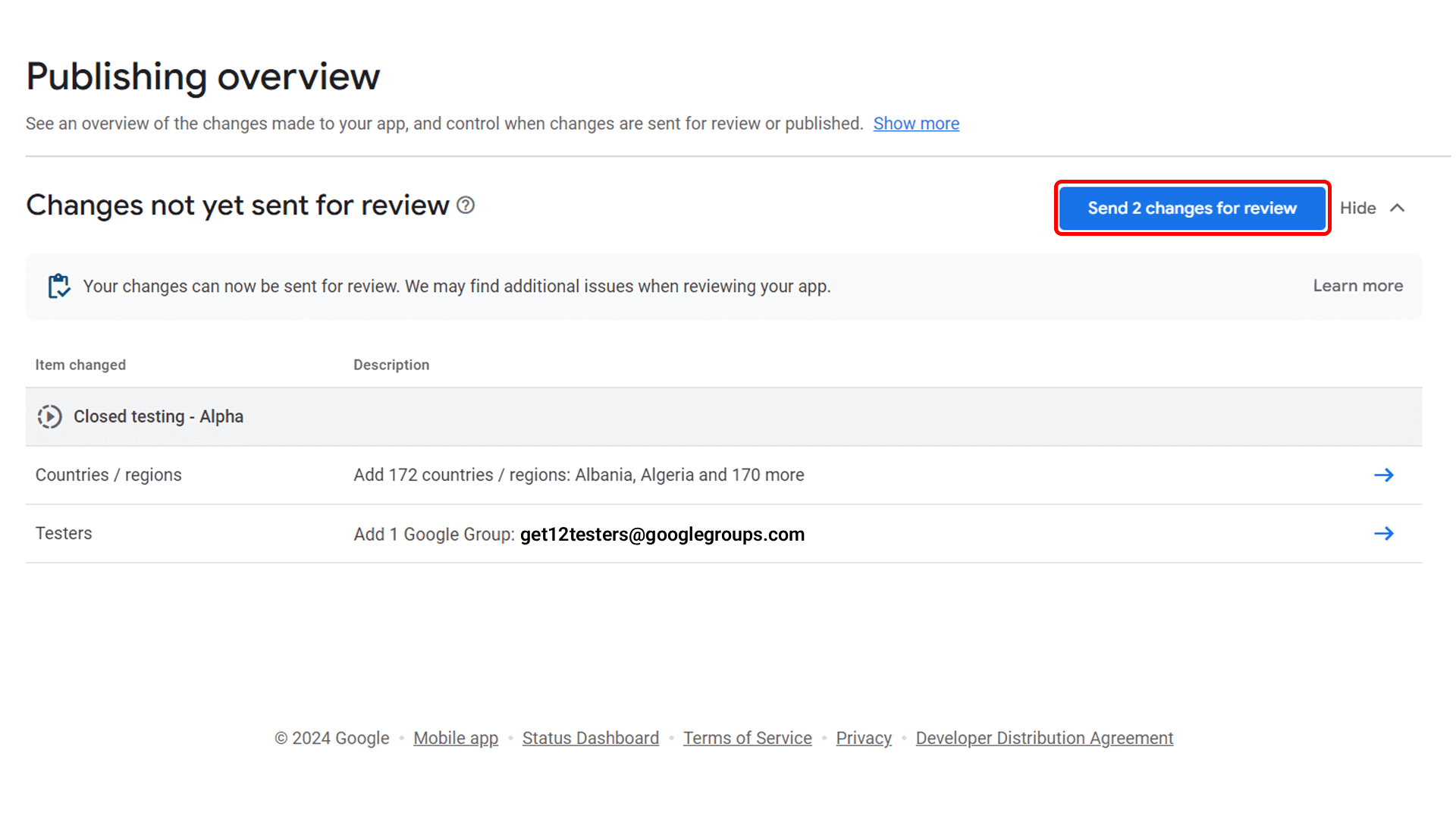
Go to Countries/Regions, select All countries (recommended), and click Save. This ensures testers worldwide can access your app.
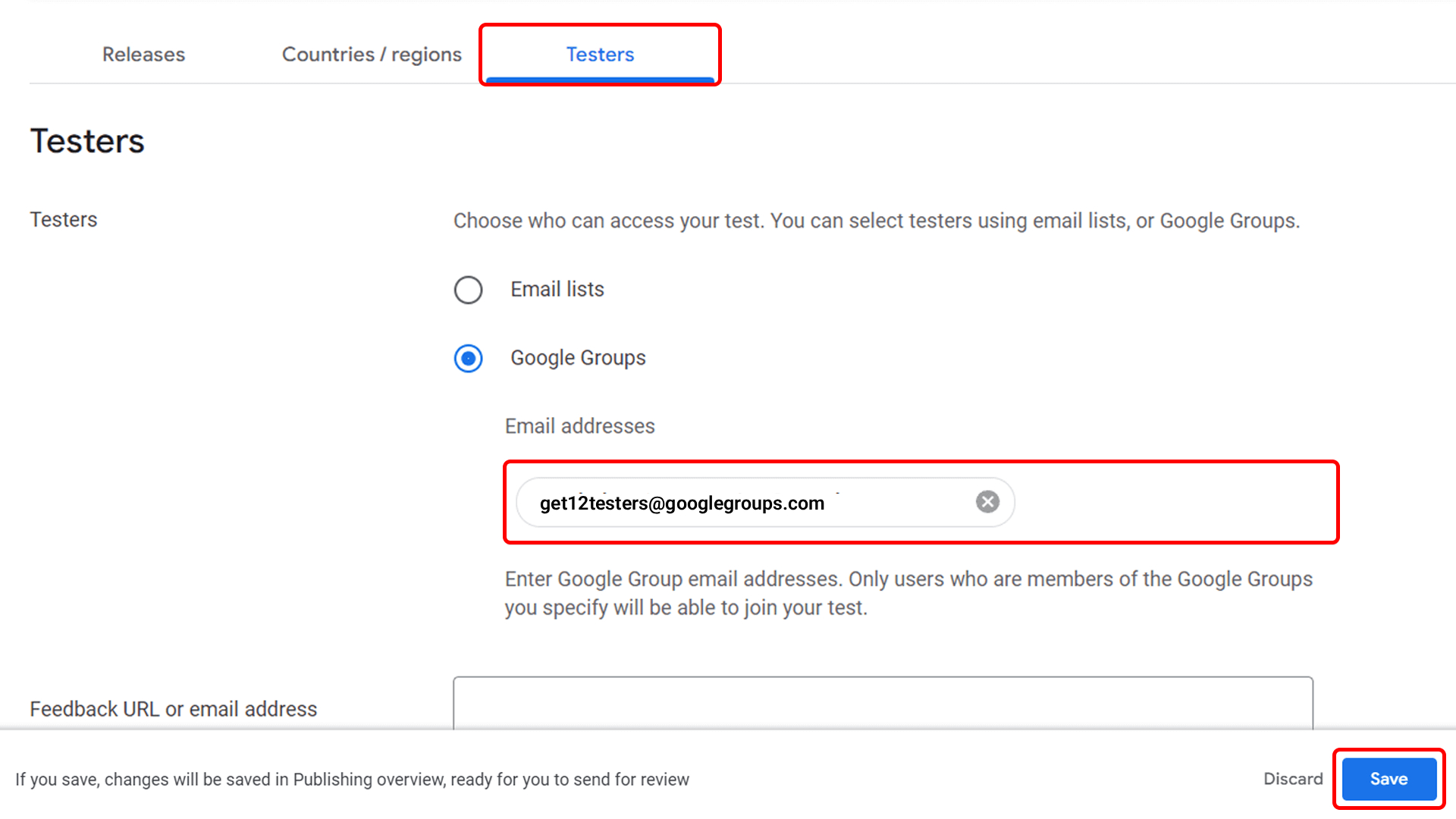
Go to Play Console → Test & Release → Testing → Closed Testing. Open the Testers section, select Google Groups, and add the group: get12testers@googlegroups.com. Save the changes.
Review any pending changes and click Send changes for review. Wait for Google’s approval. Once approved, your app will be ready for closed testing.
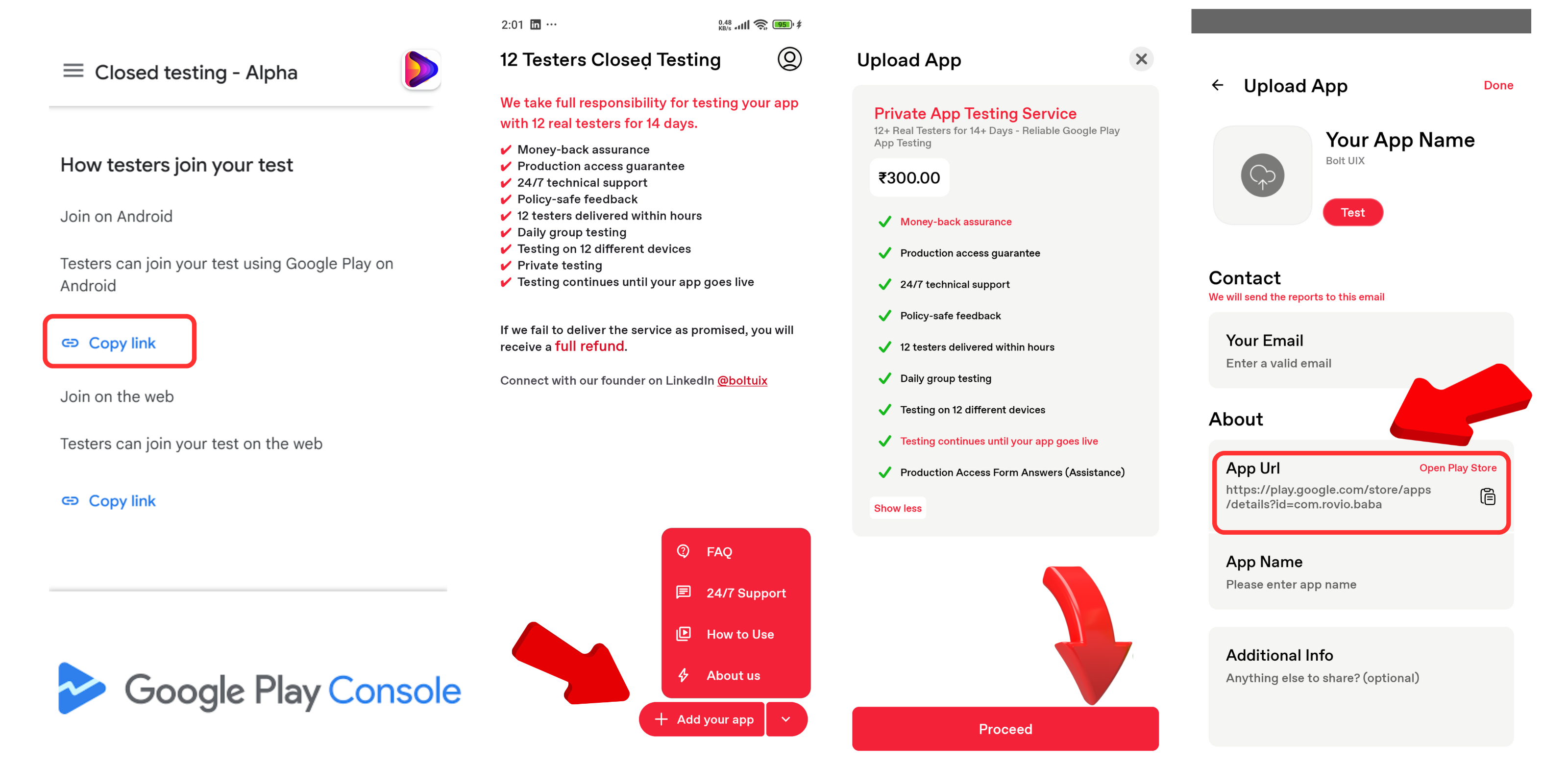
After Google approves the closed test, copy the tester opt-in URL and send it to the BoltUIX 12 Testers team. All testers will join using this link.
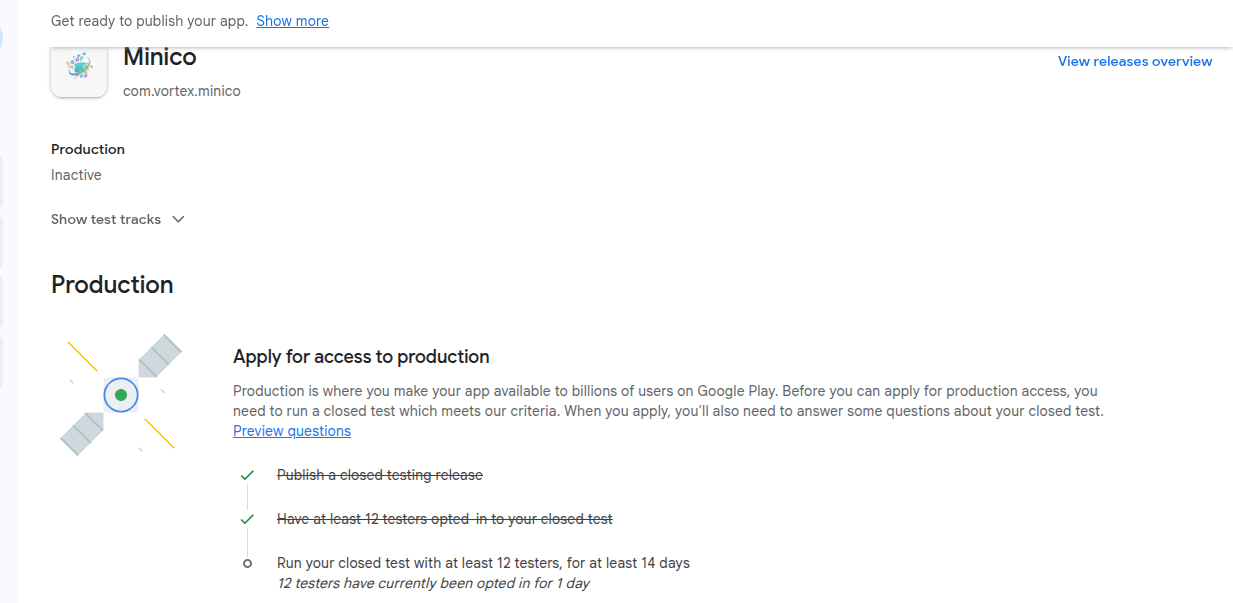
Our team of 12 testers will join your closed test and test your app continuously for 14 days. After the full 14 days, all production checklist items will unlock automatically.
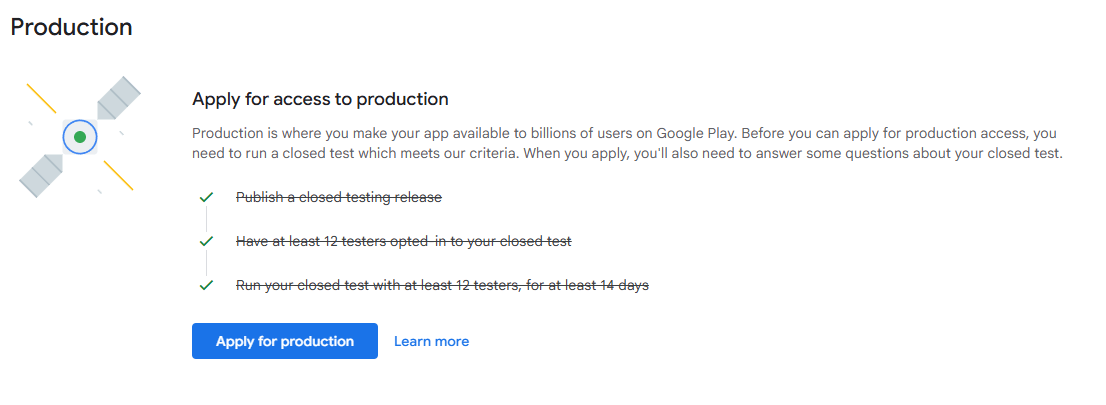
Click Apply for production and answer the short questionnaire regarding your test results, app content, and readiness. Keep answers short and clear-most fields have limited space.
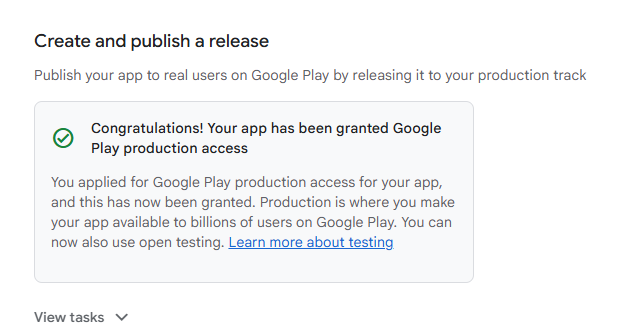
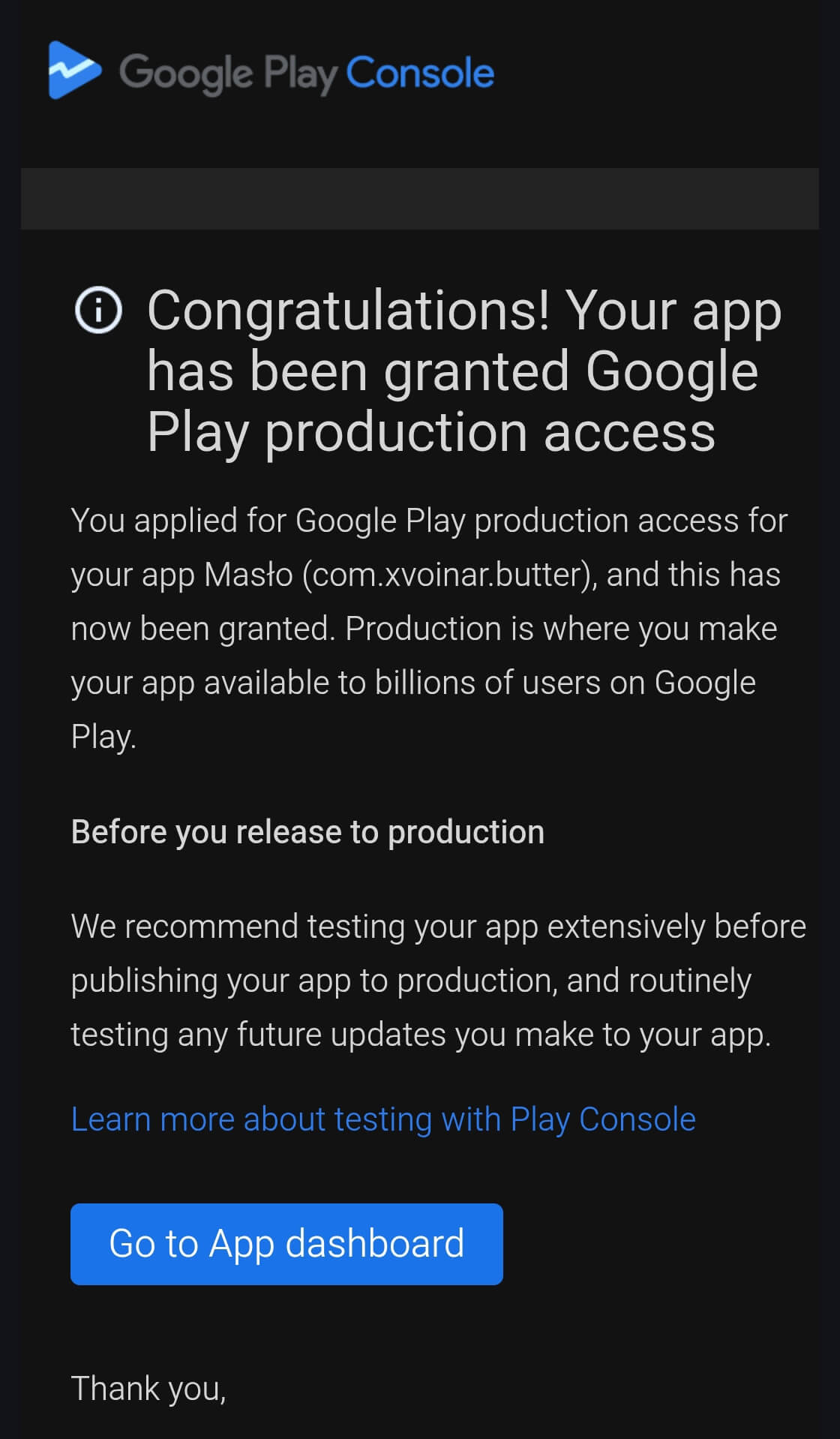
After review, Google will send an email confirming that your app has been granted production access. Once approved, your Play Console Dashboard will show a success message, and you can create a production release.
Go to , upload your final app bundle, review the release notes, countries, and pricing, then send the release for review.
Google will review the production release according to standard Play Store policies before it goes live to all users.
Begin your Google Play Closed Testing journey with the 12 Testers. Real testers, real devices, and complete support to how to get 12 testers for Production Access.